Design System as a Product
A Design System is not just a collection of color libraries and tokens. Think of it as a product in its own right. Just like any other application, it has different versions, contains bugs, and requires regular updates to keep pace with what users actually want.
The Lifecycle of a System
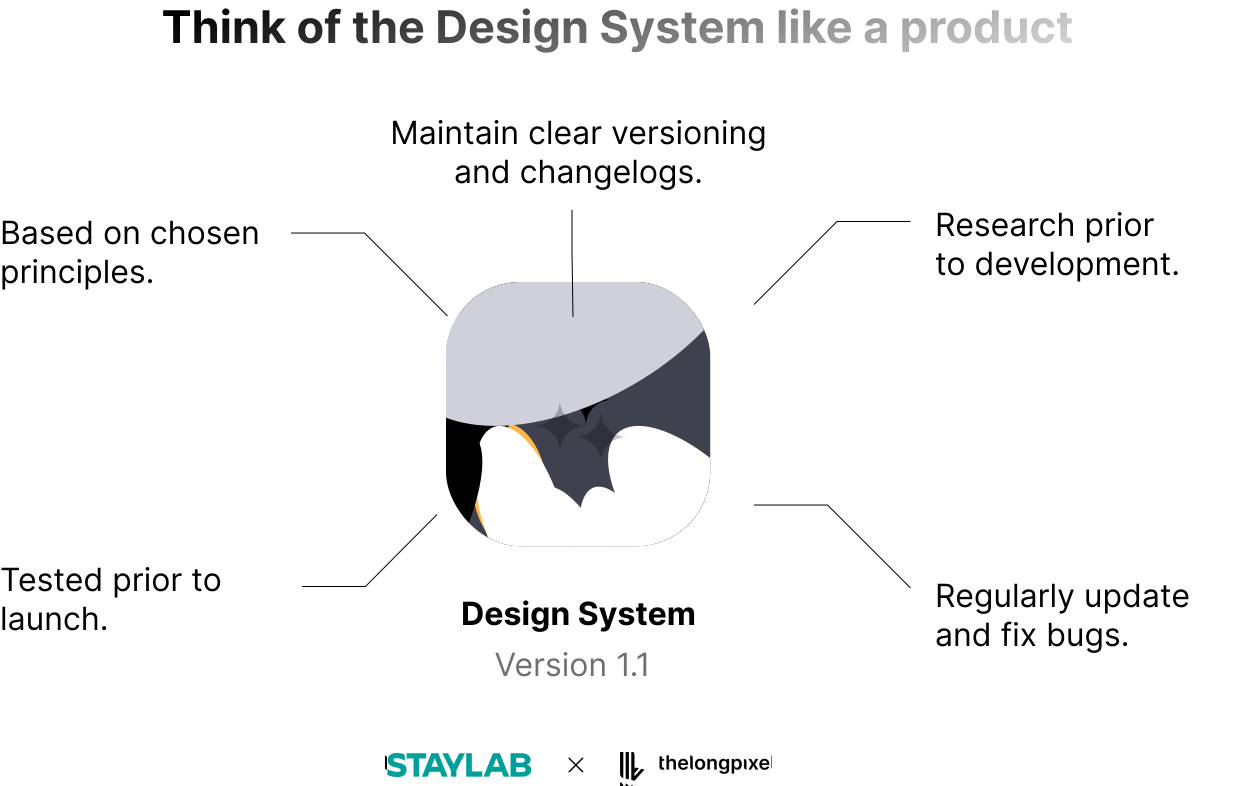 To maintain a high-quality system, we follow a product-driven workflow:
Research First: Conduct research prior to any development.
To maintain a high-quality system, we follow a product-driven workflow:
Research First: Conduct research prior to any development.
• Principles-Based: Ensure all elements are based on chosen design principles.
• Testing: Every component must be tested prior to launch.
• Versioning: Maintain clear versioning (e.g., Ver 1.0, 1.1, 1.2) and detailed changelogs.
• Maintenance: Regularly update the system and fix bugs as they arise.
The Atomic Principle in Practice
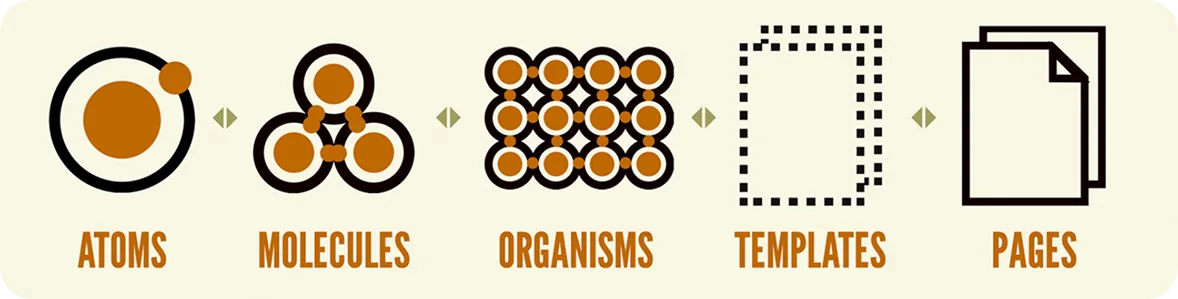
We align our designs with branding and maintain consistency across platforms by following the Atomic Principle:
 Source: https://bradfrost.com/blog/post/introducing-my-new-atomic-design-certification-course/
“Atomic Design shows that user interfaces are like connected layers, working together in a structured way.”
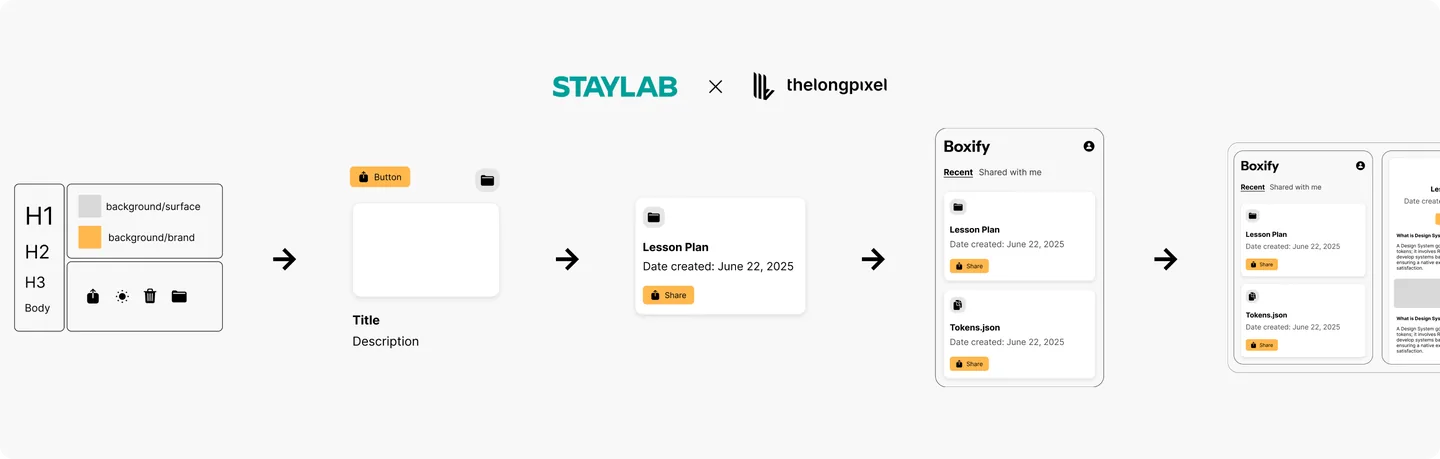
• Atoms: The smallest elements: design tokens like typography (H1, Body) and basic attributes.
• Molecules: Atoms come together to create components like buttons or icons.
• Organisms: Various molecules form reusable design patterns, such as a “Lesson Plan” card.
• Pages: Combined organisms create full screens, showcasing the layout in action (e.g., the “Boxify” app interface).
• Journey: Multiple pages work together to form a complete, seamless user journey.
Prioritizing Your Workflow
 A common question for R&D teams is: “Should we prioritize building more components or more journeys?”.
There is no single “correct” answer. The priority must always be driven by:
• Your team’s specific needs.
• The product roadmap.
• Your current capacity.
Ultimately, a Design System involves dedicated R&D teams that develop systems based on real user needs to ensure a native experience and optimal satisfaction.
Bridging the Gap with Atomic Design
In your knowledge transfer or design presentations, explaining how you organize your work using the Atomic Design method is highly effective. It allows non-designers to see your entire process rather than just the final screens in Figma, helping them understand the “why” behind your work.
This simple, building-block idea (Atomic Principle) isn’t just for design; it’s a powerful way to inspire others to organize their own tasks and projects.
For Freelancers & Consultants: Selling the System
Always Mention the Design System
Whether you are creating a price quotation or delivering a finished product, always include the Design System (DS) as a core part of your process. This demonstrates to the client that you are delivering more than a one-off design: you are providing organized, reusable components for their future.
Make it the Client’s Choice
During your initial briefing session, introduce the Design System as an optional investment. Presenting it this way empowers the client to decide if they want to invest in this long-term structure from the start.
Strengthening the Workflow
During your first meeting (briefing session), talk to your clients about the Design System.
Engineering Alignment: Use the DS as an opportunity to work better with Front-end Engineers. You can easily gather their feedback to improve how the system is built, ensuring the code and design match perfectly.
Timeline Justification: A clear structure helps you explain and justify the time required for future design work. It provides a factual basis for discussing project timelines and capacity during meetings.
This post is part of the Scalable Design System course, in collaboration with Staylab Edu Center.